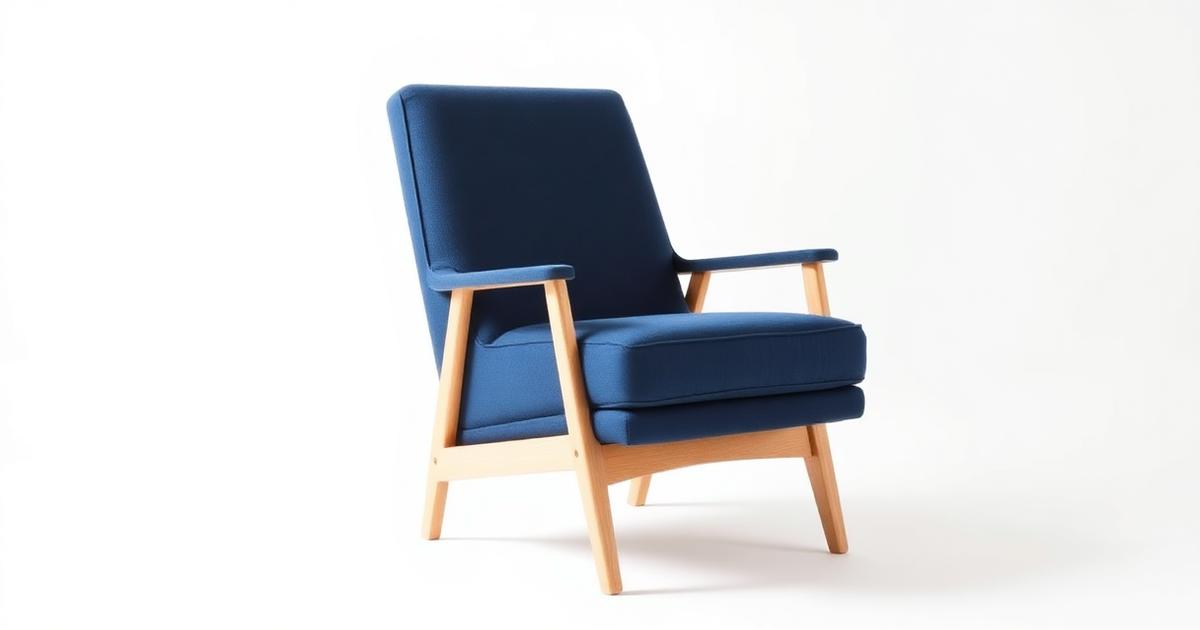
The hardest category to shoot honestly
Furniture and decor sell on scale: a buyer needs to feel how big a sofa is next to a coffee table, or how tall a shelf is against a door frame. Photograph a piece against a plain wall with no reference and even an accurate photo can look wrong in someone's living room. This is the one category where a beautiful photo can still fail if it misrepresents size.
Scale and perspective
- Shoot the original piece with a known reference nearby (a door, a chair, a person) so the true proportions are captured before any generation happens.
- Keep the camera at a natural eye-level or slightly above — extreme low angles make furniture look larger and taller than it really is.
- Avoid wide-angle lenses or phone 'wide' modes up close; they stretch nearby objects and shrink the background, distorting real dimensions.
- When generating a room scene around the piece, describe the room's real dimensions (ceiling height, doorway size) so AI keeps proportions consistent.
Placing a product in a believable room scene
A generated room should look like somewhere a person actually lives — natural light from a window, a rug that meets the floor at a realistic angle, walls with a believable amount of empty space. Avoid overly staged, magazine-perfect scenes with no visual anchors: buyers trust a room more when it has small, ordinary details (a plant, a lamp, a stack of books) that give it scale and life.
Fabric and wood texture fidelity
- Shoot a close-up detail photo of the fabric weave or wood grain in addition to the full product shot — texture is often lost when a photo is reduced to fit a listing thumbnail.
- Keep fabric color and texture consistent between the full-room shot and the zoomed detail crop; a mismatch reads as false advertising.
- For wood, preserve the grain direction and natural variation — overly smoothed or repeated wood texture looks artificial and cheap.
- For textured fabrics like linen or bouclé, avoid over-sharpening, which can make the texture look sharp and glossy instead of soft.
Lighting a large object
Small products can be lit evenly with one soft source, but a sofa or wardrobe has multiple faces and depth that a single light can't reach evenly. Use a light source large enough to wrap around the piece — a bright window spanning the width of the room works well — and avoid a single spotlight that leaves one side of the furniture in shadow while the other is blown out. In generated scenes, ask for soft, directional daylight rather than a flat, shadowless studio look, since real rooms always have some shadow variation.
Room-set variations for one SKU
- Generate the same sofa or table in two or three different room styles (modern minimalist, warm traditional, neutral Scandinavian) to match different buyer tastes without reshooting.
- Keep the product itself — color, fabric, proportions — identical across all room variations; only the surrounding decor should change.
- Use one variation as the main listing photo and the others as gallery images, since buyers browse multiple angles and settings before deciding.
- Reuse the same base product photo across variations rather than regenerating the piece each time, to avoid subtle shape or color drift between versions.
Avoiding misleading dimensions
Never let a generated room scene make a product look bigger or smaller than its listed dimensions. Small decor items (vases, frames, cushions) are especially at risk — placed alone in a generated room, they can look like a much larger piece. Always include the exact dimensions in the listing text, and where useful, keep one photo with a clear scale reference (a hand, a common object) instead of relying only on styled room shots.
Acceptance checklist before publishing
- The piece's proportions relative to doors, chairs, or people in the scene look realistic, not stretched or shrunk.
- Fabric or wood texture matches between the full shot and any close-up detail image.
- Lighting on the piece is soft and directional, without one side blown out and the other in deep shadow.
- Room decor supports the piece without exaggerating its scale (no oversized or undersized surrounding furniture).
- The listed dimensions match what the photo visually suggests — check the store product image specs guide for size and format requirements.
Start with your best-selling piece
Pick your best-selling sofa, table, or decor item and test two or three room styles around it before rolling this out across your catalog. Getting the scale and texture right on one hero product tells you exactly how to brief the rest. If you're also trying to improve overall conversion from your product pages, pair this with the product images and conversion rate guide.
Frequently asked questions
How do I stop furniture from looking bigger than it really is in generated photos?
Always shoot the original piece next to a known reference (a door, chair, or person) and mention the room's real dimensions when generating a scene. Avoid wide-angle close-up shots, which naturally exaggerate the size of nearby objects.
Can I use the same room scene for different products?
It's better to generate a scene tailored to each product's real proportions. Reusing one room for very differently sized items risks making one of them look the wrong scale relative to the furniture around it.
Why does the fabric look different up close than in the full room shot?
This usually happens when the detail crop and the full scene were generated separately without linking them to the same source texture. Always base both images on the same original fabric photo so weave, color, and pattern stay consistent.
Is it worth generating multiple room styles for one product?
Yes — buyers picture furniture differently depending on their own home style. Two or three room variations (modern, traditional, neutral) around the same identical product usually increases engagement without the cost of separate physical photoshoots.